Guide
How to uninstall OpenClaw on Mac, Linux, Windows and Docker
To uninstall OpenClaw, run openclaw uninstall --all (preview it first with openclaw uninstall --dry-run --all), then remove the CLI the way you installed it, for example npm rm -g openclaw. The uninstall command removes the Gateway service and, when selected, OpenClaw’s state, workspace and macOS app, but not the openclaw command itself. If the CLI is already gone and the Gateway keeps running, use the manual steps below for launchd (Mac), systemd (Linux) or Task Scheduler (Windows). Every command comes from OpenClaw’s official docs, linked next to it.
Before you uninstall: back up and log out of WhatsApp
1. Back up what you may want later. The docs recommend a restorable snapshot before removing state or workspaces:
openclaw backup createBy default the agent workspace (AGENTS.md, SOUL.md, MEMORY.md) is ~/.openclaw/workspace and everything else is under ~/.openclaw.
Source: docs.openclaw.ai/cli/uninstall · docs.openclaw.ai/cli/backup · docs.openclaw.ai/help/faq/where-things-live-on-disk
2. Log out of linked chat accounts. If you connected WhatsApp, log it out while the CLI still works. This clears the WhatsApp auth state for the account and stops its live listener:
openclaw channels logout --channel whatsappLogout is “not a claim that provider-side tokens were revoked”, so also log out the linked device from WhatsApp on your phone (WhatsApp Help Center). More in our OpenClaw WhatsApp guide.
Source: docs.openclaw.ai/channels/whatsapp · docs.openclaw.ai/cli/channels
Option 1: uninstall OpenClaw with its own command (recommended)
If the openclaw command still works, this is the official easy path.
Step 1Preview what will be removed
openclaw uninstall --dry-run --allStep 2Remove the service, state, workspace and app
openclaw uninstall --allPlain openclaw uninstall opens a prompt that preselects only the Gateway service; tick state, workspace and app too, or use --all. Non-interactive form, for scripts and npx (“use with caution”):
openclaw uninstall --all --yes --non-interactive
npx -y openclaw uninstall --all --yes --non-interactive
Source: docs.openclaw.ai/install/uninstall
| Flag | What it does |
|---|---|
--service | Removes the Gateway service |
--state | Removes state and config. Keeps configured workspace folders unless you add --workspace. Refuses while an unmanaged or externally supervised Gateway is still running |
--workspace | Removes workspace directories |
--app | Removes the macOS app; on other systems it reports that the scope is not applicable |
--all | Shorthand for --service --state --workspace --app |
Source: docs.openclaw.ai/cli/uninstall
Step 3Remove the CLI itself
openclaw uninstall does not remove the command you just ran: “There is no separate CLI-removal scope.” Finish with the removal command for how you installed it, for example npm rm -g openclaw.
Source: docs.openclaw.ai/cli/uninstall
Option 2: uninstall OpenClaw manually
The manual route, from the same official page. Stop and uninstall the service before deleting files.
- Stop the Gateway service:
openclaw gateway stop - Uninstall the service (launchd, systemd or Task Scheduler):
openclaw gateway uninstall. On its own this removes only the service registration and launcher, and keeps your configuration, plugins, sessions and workspaces. - Move any workspace you want to keep, including
~/.openclaw/workspace, out of the state folder. Unlikeopenclaw uninstall --state, manual deletion does not preserve workspaces inside it. - Delete state and config:
rm -rf "${OPENCLAW_STATE_DIR:-$HOME/.openclaw}". If you setOPENCLAW_CONFIG_PATHto a file outside that folder, delete it too. - Delete an external workspace only if you want its agent files gone:
rm -rf /path/to/external/workspace - Remove the CLI.
- If you installed the macOS app:
rm -rf /Applications/OpenClaw.app
Used profiles? Repeat the state steps for each ~/.openclaw-<profile> folder. In remote mode, run the first steps on the Gateway host.
Source: docs.openclaw.ai/install/uninstall · docs.openclaw.ai/cli/gateway/service
Remove the OpenClaw service when the CLI is already gone
Deleted the openclaw command first and the Gateway still runs? Remove the service by hand.
How to uninstall OpenClaw on Mac (launchd)
The default label is ai.openclaw.gateway (or ai.openclaw.<profile>):
launchctl bootout gui/$UID/ai.openclaw.gateway
rm -f ~/Library/LaunchAgents/ai.openclaw.gateway.plist
Then remove the app if you installed it: rm -rf /Applications/OpenClaw.app.
How to uninstall OpenClaw on Linux (systemd user unit)
The default unit is openclaw-gateway.service (or openclaw-gateway-<profile>.service):
systemctl --user disable --now openclaw-gateway.service
rm -f ~/.config/systemd/user/openclaw-gateway.service{,.bak}
systemctl --user daemon-reload
Very old installs may still have a clawdbot-gateway.service unit; openclaw uninstall and openclaw gateway uninstall detect and remove it automatically.
How to uninstall OpenClaw on Windows (Scheduled Task)
The default task is OpenClaw Gateway (or OpenClaw Gateway (<profile>)). It launches a hidden gateway.vbs script that runs gateway.cmd; remove both:
schtasks /Delete /F /TN "OpenClaw Gateway"
Remove-Item -Force "$env:USERPROFILE\.openclaw\gateway.cmd" -ErrorAction SilentlyContinue
Remove-Item -Force "$env:USERPROFILE\.openclaw\gateway.vbs" -ErrorAction SilentlyContinue
Source: docs.openclaw.ai/install/uninstall
Remove the OpenClaw CLI
Use the removal that matches how OpenClaw was installed. Remove the Gateway service first.
| Installed with | How to remove it |
|---|---|
| Install script or global npm (default) | npm rm -g openclaw, with the npm that owns the install |
| pnpm | pnpm remove -g openclaw |
| Bun | bun remove -g openclaw, then check for a leftover launcher in $(bun pm bin -g)/openclaw |
install.sh --install-method git | Check ~/.local/bin/openclaw points to your checkout, remove it, then remove the checkout (default ~/openclaw) |
install.ps1 -InstallMethod git (Windows) | Check %USERPROFILE%\.local\bin\openclaw.cmd, remove it, then the checkout (default %USERPROFILE%\openclaw) |
install-cli.sh | Check <prefix>/bin/openclaw; the prefix defaults to ~/.openclaw. Remove a dedicated prefix only after saving your data |
Source: docs.openclaw.ai/install/uninstall
The docs warn: never delete a shared prefix wholesale; remove only OpenClaw’s files and keep shared Node runtimes, tools and folders such as ~/.local/bin.
How to uninstall OpenClaw from Docker
OpenClaw’s docs do not publish a separate Docker uninstall procedure, so here is only what they do say:
- Stop the stack from the folder that holds your
docker-compose.yml:docker compose down. Use the same Compose file set and order you always use. - Your data is on the host, not in the container. Compose bind-mounts
OPENCLAW_CONFIG_DIR(default~/.openclawin the stock Compose file),OPENCLAW_WORKSPACE_DIRandOPENCLAW_AUTH_PROFILE_SECRET_DIR, “so those paths survive container replacement.” - Treat that folder as credentials. It holds
openclaw.json, the SQLite state, channel credentials and a.envwith secrets; the docs say OAuth tokens sit there in plaintext.
So removing the containers is not the whole job: back up what you want from those host folders and handle the rest as credentials.
Generic Docker cleanup (not OpenClaw commands)
These are standard Docker commands, not part of OpenClaw’s documentation. Check every name before you delete anything, and run openclaw backup create (or copy the host folders above) first.
If you ran OpenClaw with Docker Compose, from the same folder and with the same Compose files:
docker compose down --volumes --rmi allThis stops and removes the containers and network, the named volumes declared in that Compose file and the images it used. It does not delete the host folders mounted into the container (such as ~/.openclaw): remove those with the manual step above once you have your backup.
If you started containers by hand, find them, then stop and remove them:
docker ps -a
docker stop <container>
docker rm <container>
Then the volumes and images you no longer need:
docker volume ls
docker volume rm <volume>
docker image ls
docker image rm <image>
Docker reference: docker compose down · docker rm · docker volume rm · docker image rm
Source: docs.openclaw.ai/install/docker/compose-operations · docs.openclaw.ai/install/docker/networking-and-storage · docs.openclaw.ai/install/docker-vm-runtime
Uninstall or reset? Keep the CLI, wipe the data
If you want a clean start rather than a removal, openclaw reset “resets local config/state (keeps the CLI installed)”.
| Scope | Removes |
|---|---|
config | The config file only |
config+creds+sessions | Config file, OAuth/credentials folder and stored session history; stops the Gateway first |
full | The state folder (including the shared SQLite database) plus workspace directories; stops the Gateway first |
Example: openclaw reset --scope full --yes --non-interactive. Afterwards, set it up again with openclaw onboard --install-daemon.
Source: docs.openclaw.ai/cli/reset
Check that OpenClaw is fully removed
Open a new terminal and run command -v openclaw (PowerShell: Get-Command openclaw -ErrorAction SilentlyContinue). If it still finds something, look at it: a second install or another wrapper may remain.
- Shell completion: remove only the
# OpenClaw Completionblock and its source line from your shell profile. - PATH: remove an entry the installer added only if nothing else uses it.
Source: docs.openclaw.ai/install/uninstall
Uninstalling because of the upkeep?
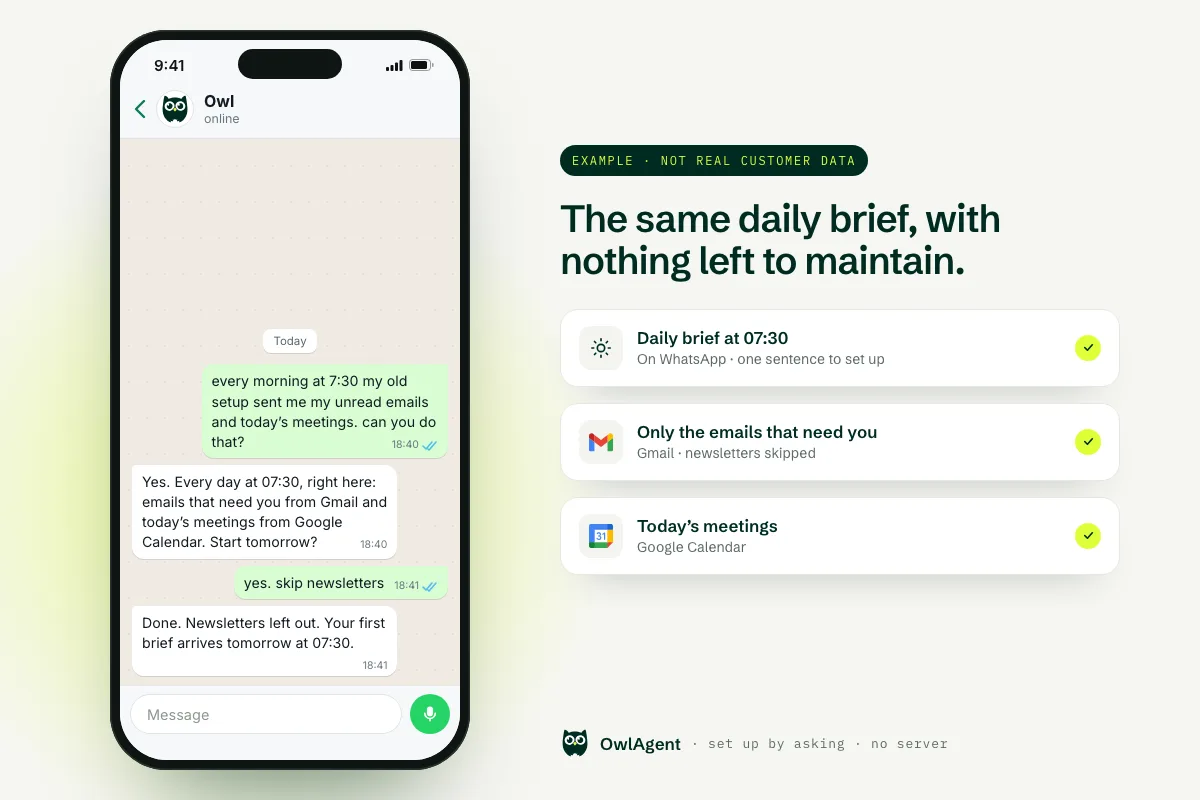
Running OpenClaw means keeping a Gateway online, keeping it up to date and re-linking WhatsApp when a session keeps dropping (WhatsApp docs, updating docs). If that is why you are leaving but you still want an assistant you can text, OwlAgent is a separate product with no server to run. It is not built on OpenClaw or a hosted copy of it; it has its own engine.
- A WhatsApp and Telegram assistant: ask for the brief or reminders you had before.
- Connects Gmail, Google Calendar, Drive, Notion, HubSpot, Outlook, Slack and more through their normal sign-in (OAuth) in a couple of clicks.
- Asks before sending anything on your behalf.
- 7-day free trial, no card needed, and no usage cap on paid plans (see pricing).
Frequently asked questions
How do I completely uninstall OpenClaw?
Run openclaw uninstall --all (preview it first with openclaw uninstall --dry-run --all) to remove the Gateway service, state, workspace and macOS app. Then remove the CLI the way you installed it, for example npm rm -g openclaw, and check with command -v openclaw in a new terminal.
Does openclaw uninstall remove the openclaw command?
No. OpenClaw's docs say there is no separate CLI-removal scope. After openclaw uninstall, remove the CLI with your package manager: npm rm -g openclaw, pnpm remove -g openclaw or bun remove -g openclaw, or delete your git checkout and its launcher.
How do I uninstall OpenClaw on a Mac?
Run openclaw uninstall --all, which also removes the macOS app. If the CLI is already gone, use the launchd commands in the Mac section above, then delete /Applications/OpenClaw.app and ~/.openclaw once you have saved what you want.
Where does OpenClaw store its files?
Under ~/.openclaw by default: config in openclaw.json, SQLite state, and channel credentials such as credentials/whatsapp/<accountId>/creds.json. The agent workspace defaults to ~/.openclaw/workspace.
The OpenClaw Gateway keeps running after I deleted the CLI. How do I stop it?
Remove the service by hand: launchctl bootout the ai.openclaw.gateway agent on macOS, systemctl --user disable --now openclaw-gateway.service on Linux, or delete the OpenClaw Gateway scheduled task on Windows. The full commands are in the section above.
Will uninstalling OpenClaw unlink my WhatsApp?
Log out first with openclaw channels logout --channel whatsapp, which clears the WhatsApp auth state and stops the listener. You can also log out the linked device from WhatsApp on your phone; WhatsApp says linked devices are disconnected automatically after 30 days of inactivity.
All product names and trademarks belong to their respective owners. OwlAgent is not affiliated with or endorsed by OpenClaw, and it is not built on OpenClaw. OpenClaw commands are quoted from its official docs, linked next to each step. rm -rf deletes files permanently: back up first.
Skip the server. Just text it.
OwlAgent works from WhatsApp or Telegram and connects Gmail, Google Calendar, Drive, Notion, HubSpot, Outlook, Slack and more in a couple of clicks. 7-day free trial, no card needed.
Try Owl on WhatsApp